 PDF Annotator for monday.com
PDF Annotator opens a PDF that is attached to a monday item, lets you mark it up in the browser, and saves the result to an “Annotated PDFs” column on the same item.
There is nothing to download, edit elsewhere and upload again, and the original document stays exactly as it was.
Coming soon. This app is in development and is not yet available on the monday.com Apps Marketplace.
Read the step-by-step guide
Highlights
-
Stays inside monday
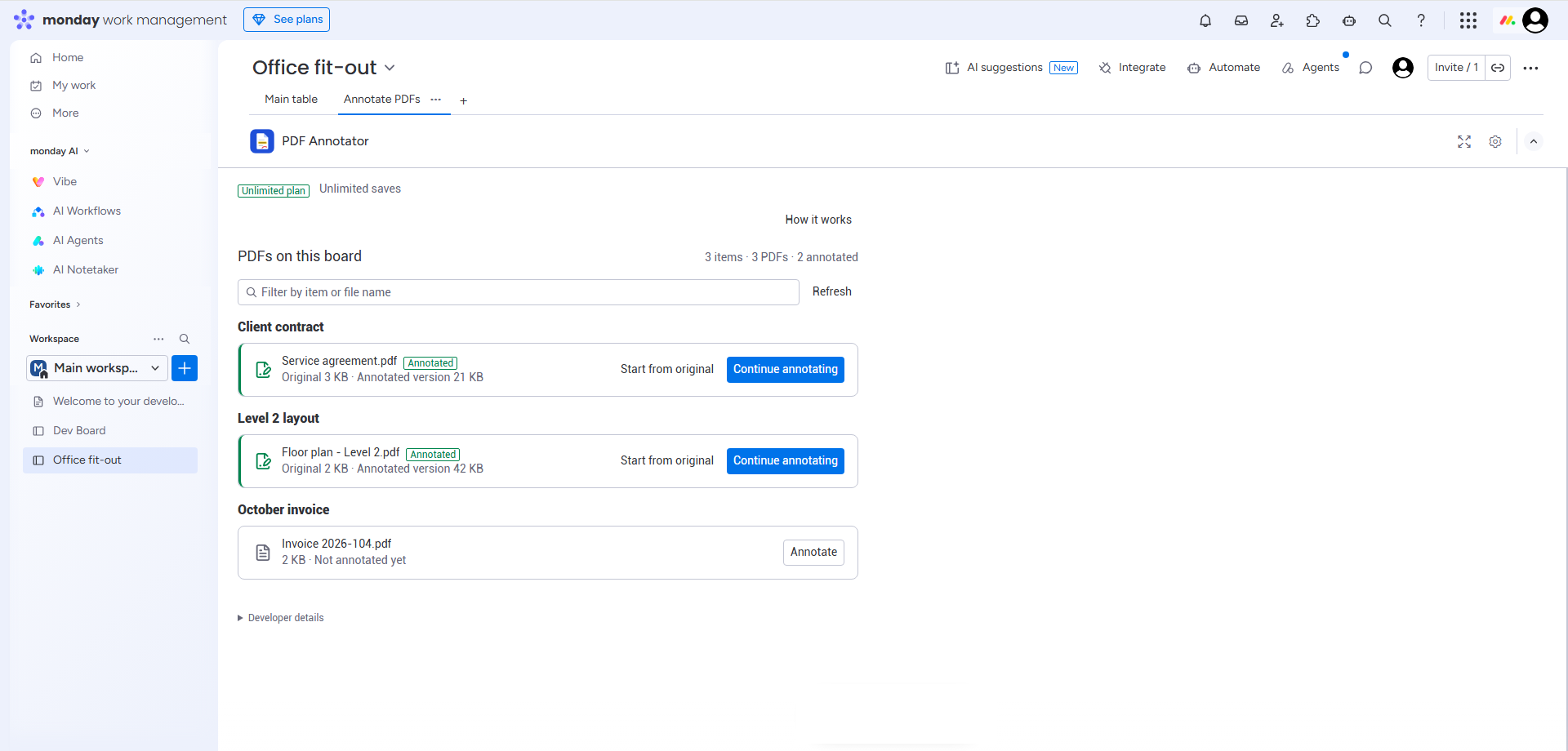
Open it from an item's “Annotate PDF” tab, from the item menu, or from a board tab that lists every PDF on the board. No separate tool and no re-uploading.
-
The original is never touched
The annotated PDF is a separate file in its own “Annotated PDFs” column, for example contract_annotated.pdf. The app never writes to the column that holds your original.
-
Your PDFs are not stored
Documents are fetched temporarily, annotated in your browser and uploaded back to monday. The app keeps no copy.
See it in action
How it works
- Open a monday item that has a PDF in a Files column.
- Choose the “Annotate PDF” tab in the item view, “Annotate PDF” in the item menu, or the board's “Annotate PDFs” tab.
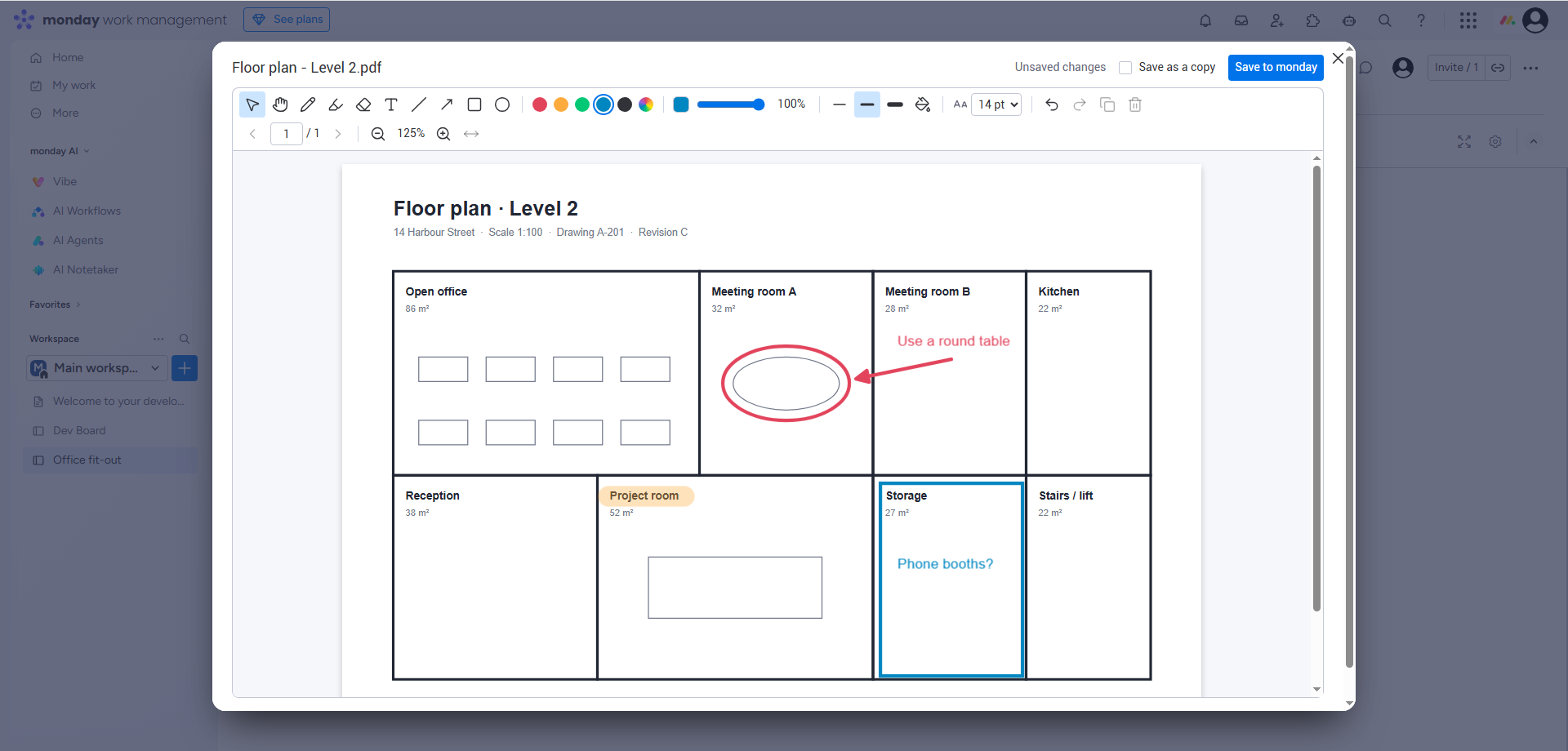
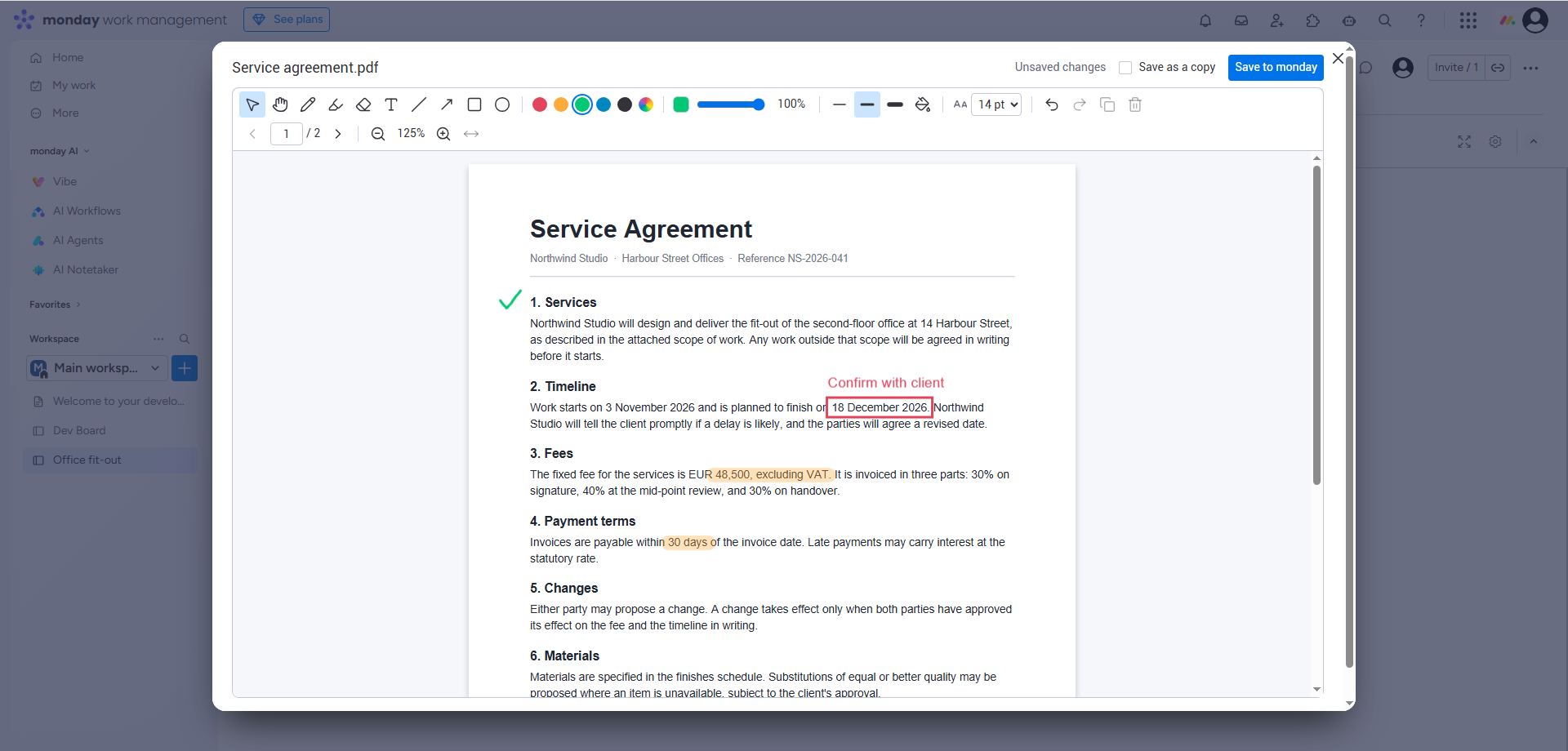
- Mark up the document with the annotation tools.
- Save. The annotated version appears in the item's “Annotated PDFs” column, which the app adds to the board the first time. Saving again updates that version, unless you tick “Save as a copy”.
Features
Annotation tools
- Select and move
- Freehand pen
- Highlighter
- Text
- Rectangle
- Ellipse
- Arrow
- Line
- Eraser
Colour and style
- Preset colours
- Custom colour
- Adjustable opacity
Working with the document
- Undo and redo
- Zoom
- Page navigation
Privacy
- PDFs are not stored by the app. They are fetched temporarily, annotated in your browser and uploaded back to monday.
- No PDF content is sent to analytics, AI services or external storage.
- The app runs on monday's own infrastructure (monday code).
- Billing is handled by monday's native monetization. The app does not collect payment details.
Full details are in the Privacy Policy.
Pricing
-
Free
3 saved annotated PDFs per calendar month, per account.
-
Pro Unlimited
Unlimited saved annotated PDFs.
Planned plans. Pricing for Pro Unlimited will be shown in the monday.com Apps Marketplace listing once the app is published.
Support
Need help with PDF Annotator for monday.com? Visit the support page. Use of the app is covered by the Terms of Service.